
Telegraph:極簡風的「所見即所得」網路寫作平臺
Telegraph 是什麼?
雖然這個 blog 網站是用 Hugo 這個靜態網頁生成器架設的,不過對一些人來說使用 Hugo 仍然有一定的電腦技術門檻,也有些人看到純文字界面就是會退避三舍。那麼,有什麼網路寫作或 blog 平臺是好用的、採用「所見即所得」(WYSIWYG)式界面,而且不需要太高的技術門檻呢?
個人在此推薦 Telegraph。這是由通訊軟體公司 Telegram 開發的網路寫作平臺。雖然 Telegraph 並非開源平臺,整體功能也沒有到很進階完善的程度,但它的整個界面非常極簡,也非常容易上手,對於想「無痛」寫 blog 的人也許會是個不錯的選擇。
使用方式很簡單:在瀏覽器輸入網址 telegra.ph,然後迎接你的會是以下的畫面:
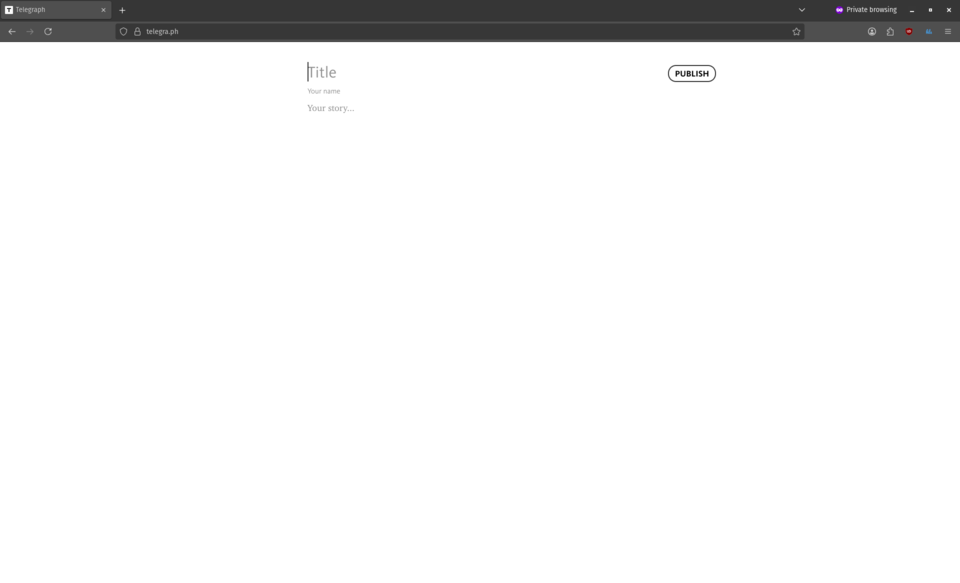
沒錯,就這樣。然後把它當作一般的筆記軟體使用就可以了。寫完過後只需按下 Publish 按鈕,文章便會發佈到網路上,而想要分享文章的話,只需將生成的文章連結傳給別人就可以了。
如果想要修改文字樣式的話,可以選取特定文字,並從畫面跳出的格式選項中選取想要的格式即可,有粗體、斜體、加入超連結、主標題格式、副標題格式以及引言格式可供選擇。Telegraph 也支援加入圖片、 YouTube 或 Vimeo 影片,以及 Twitter 連結的功能。
這是我網上找到的一篇使用 Telegraph 發佈的文章,裡頭爲使用 Markdown 寫作的教學。題外話:如果是在電腦或手機處理任何文字相關的東西的話,大推薦學習使用 Markdown。它不僅容易學,也很輕量,更可以產出美觀的 PDF 文件或網站(相關例子:Hugo、Jekyll)。
缺點
雖然 Telegraph 的界面容易使用也簡潔美觀,但它還是有一些缺點的,像是以下幾點:
- 它終究是專有平臺,所以發佈在上面的文章都是存在大公司的伺服器裡頭,文章發佈者本身對此的控制權不大。
- 它的 Markdown 寫作功能不齊全,例如無法使用 `` 來代表程式碼。
- 它無法以本機上傳的方式加入圖片和影片,必須先將圖片或影片發佈在網路某處,然後再將相關連結複製貼上到 Telegraph 才能加入。
- 利用 Telegraph 發佈的文章都是以
telegra.ph作爲主網址分散在網路各處,因此單一作者無法將自己的文章都集中在一個地方。想要將不同文章的連結收集起來的話,到最後還是得使用其他的部落格平臺,或是索性自己架設一個網站。
那麼,如果想要類似 Telegraph 的網上寫作體驗,但又想要自己管理自己的網站與文章的話,有什麼好方法嗎?
TapNote:類 Telegraph 的自架網站方案
我在 GitHub 上找到這個名爲 TapNote 的 repo。它是由 Sergei Vorniches 利用 vibe coding 製作出來的程式。不過設定它所需的電腦技術門檻較高(或是說較麻煩),需要懂得使用 Docker,也得自己架設主機才能讓它可在開放網路存取。如果真~的很想要類似 Telegraph 的使用體驗,也許可以試試?
不過老實說,如果想要自架網站,又要 WYSIWYG 的操作模式的話,倒不如叫你用 WordPress 反而還更無痛一些(笑)。
到最後還是推薦 Hugo 或 Bear Blog 就好
如果不介意使用 Markdown 的話,推薦使用 Hugo,因爲它執行速度快,且相對容易學習。
如果不想要面對架設(虛擬)主機的痛苦的話,推薦使用 Bear Blog,操作界面和 Telegraph 差不多地簡潔,上手起來也不難。雖然需要申請帳號,不過它好歹是 indie 專案,使用它算是在支持良心經營者(至少目前是如此)。
Extracting slug from filename in Hugo
TL;DR: Change every instance of :slug in the site configuration file into :slugorcontentbasename. See here for more info.
When building a website using the static site generator Hugo, some Hugo themes, such as Stack and hugo-bearblog (which is the theme used here), by default generate the ‘slug’ portion of the URL of a webpage by extracting and reformatting the title field provided in the front matter of the source Markdown file of the page.
This is because in the site configuration file of a Hugo site with such themes installed, the permalinks key, which determines how the URL looks like, is usually set up as something like this…
permalinks:
    post: /p/:slug/
    page: /:slug/
(The above snippet is obtained from the example site configuration file provided in the GitHub repository of the Stack theme, in YAML format.)
…or this.
[permalinks]
  blog = "/:slug/"
(The above snippet is obtained from the example site configuration file provided in the hugo-bearblog GitHub repository, in TOML format.)
The key here is the use of the token :slug. According to Hugo’s documentation, this token generates the URL ‘slug’ based on the title in front matter, unless a slug entry is provided. If neither is given, Hugo automatically generates one.
For example, if we’re using the (default) hugo-bearblog theme, and the Markdown file of a Hugo webpage in the blog directory looks like this (the front matter is in TOML format):
+++
title = 'My First Post 1'
+++

This is my first post!
Due to the configuration as shown above, the resulting URL of the corresponding webpage may then look like this:
https://example.org/my-first-post-1/
However, this presents a problem when we need to change the title of a webpage multiple times, as doing so will cause the URL of the page to change constantly.
This renders the old versions of the link useless, and makes sharing or publishing the page link a cumbersome task, as we’d need to keep updating the link if there are changes to it. It can also result in orphan pages, which is another pain to deal with.
One may suggest adding a fixed slug entry in the front matter as it takes higher priority. However, this is also troublesome if you already have lots of existing pages without a slug entry, like this very website! Just the thought of having to manually add a slug entry for every single page is already daunting to me, so I’m not gonna do that!
Moreover, I have already set the filename of each source Markdown file of the webpages in a URL-slug-like manner, so why don’t we have Hugo extract the filename and generate a slug from there? This allows me to constantly update the title without worrying about the permalink, as long as I don’t touch the filename!
Luckily, there is a simple solution to that! In newer versions of Hugo (specifically, after v0.144.0), there is a token called :slugorcontentbasename, which does exactly what I want, i.e. extracting the filename to generate the URL slug (unless I specifically provide another slug entry, which takes greater precedence).
Thus, I only need to edit the permalinks key in the site configuration file of this website like so:
[permalinks]
  blog = "/:slugorcontentbasename/"
Hugo will then generate the webpage link based on the filename of the source Markdown file, instead of the title! Mission accomplished!
Further reading:
寫 blog 帶來的歡樂
https://mtwb.blog/posts/2025/the-joy-of-creativity/
之前讀到了這篇簡短的文章,其中有一句對我特別有共鳴。
I’m staring at my blog right now. You ever do that?
You know what, Matt? Yes, I do too!
就像我更之前寫的一篇文中提到,我架設自己的 blog 網站寫東西,即使沒其他人看,至少也有娛樂到自己。雖然這種說法有點像在自欺欺人,不過我是認真的:光是能夠回顧以前記錄過的自身想法,就足以讓我心情變好一點了。所以當我看到上面那篇文並且發現原來自己在這方面並不孤單的時候,內心是覺得滿安慰的。
總之,這又是一篇鼓勵別人應該要架自己的 blog 的廢文。相信我,寫部落格文章可以給自己帶來的樂趣遠比想像的更多!而且,我自己也很期待你會在自己的 blog 網站上寫什麼,期待看到你表達自己的興趣與想法。這不僅能讓我學到東西,也可以讓我更認識你!
YouTube 超賤的預設開啟合輯播放模式
寫這篇文是想抱怨 YouTube 網路版最近1偷偷加入的一個改版。我超級討厭這個改版,因爲它非常反直覺,也完全背離我使用 YouTube 的偏好,而且它很賤:如果不特地稍爲研究一下,一般使用者根本不會察覺到這個改版。
看到標題的讀者也許能夠猜到我要說什麼了,那就是:YouTube 現在會預設在你點閱透過搜尋的方式找到的影片時,只要該影片被 YouTube 判定爲「音樂影片」(music video),YouTube 便會透過偷偷修改網址的方式預設開啟不間斷的「YouTube 合輯」(YouTube Mix)播放清單模式,而非如一個正常的搜尋功能般,當人家只要看單一影片時就該給它單一影片的連結就好!
以下是我示範透過搜尋的方式於安裝了 uBlock Origin 的 Firefox 瀏覽器隱私模式下查找我最近上傳的 Undertale/Deltarune 串燒曲樂譜影片時的螢幕畫面錄影。果不其然,該影片被 YouTube 判定成「音樂影片」,所以即使在搜尋結果頁面中明明沒有明確標示「合輯」(Mix)等字樣,YouTube 仍然偷偷將網址改成「YouTube 合輯」播放清單連結!不僅如此,有沒有發現到我甚至無法透過播放器選項關閉自動播放模式?
至於貓膩在哪裡?就在網址尾端的 &list=RD4jn7R2qD9_E&start_radio=1 這個部份!它們是所謂的「網址參數」(URL parameter/argument)2,其中 list=... 代表播放清單 ID,而 start_radio=1 代表「開啟『YouTube 合輯』模式」!
我個人是很不喜歡「YouTube 合輯」模式的,也會把「自動播放模式」關掉,因爲我沒有一直不間斷地看影片的必要,也不喜歡由演算法來決定我下一部影片該看什麼3,所以看到 YouTube 不僅將「YouTube 合輯」預設開啟,而且還是用修改網址這種偷偷摸摸的方式,我就感到非常生氣。
尤其是偷改網址這一點,如果某人透過搜尋找到一部影片後,想要透過複製貼上網址的方式分享影片的話,不知情者就會把「YouTube 合輯」的播放清單影片連結傳給別人,而非單一的影片連結!這對使用者所造成的困擾可想而知,非常煩人!
YouTube 最近種種的自殺式改版真的是讓人心累……再這樣下去他們只會迫使越來越多人決定放棄使用 YouTube 的。
部落格問題挑戰
在「廢文小天地」網站上看到作者寫了個中文版本的《部落格問題挑戰》(Blog Questions Challenge),便決定也一起跟風了。
以下是問題列表:
- 你當初為什麼開始寫部落格?
- 你使用什麼平台來管理你的部落格?為什麼選擇它?
- 你之前有在其他平台上寫過部落格文章嗎?
- 你如何撰寫文章?例如,使用本地編輯工具,還是在部落格的後台/控制面板中編寫?
- 你什麼時候最有寫作靈感?
- 你會在寫完後立即發佈,還是會先存成草稿醞釀一下?
- 你部落格上最喜歡的文章是哪一篇?
- 你對部落格有什麼未來計畫嗎?例如重新設計、搬到另一個平台,或是加入新功能?
你當初為什麼開始寫部落格?
之前在 Podcast《好檸檬》的某一集聽到 Wiwi 推薦了 Hugo 這個靜態網站生成器,便決定自學使用它架設網站。後來看到 Wiwi 使用 Hugo 製作的「NiceChord 好和弦」網站,以及他決定開設自己的部落格網站,再加上瞭解到社群媒體(尤其是 Facebook)的種種弊端,便決定在 2021 年把我之前的 Facebook 和 Instagram 帳號刪除,並以自架的 blog 網站作爲在網上表達想法的替代平臺。
你使用什麼平台來管理你的部落格?為什麼選擇它?
我是用 Hugo 生成我的網站,用 Git 來管理,並且使用 Vercel 部署。之前我是花錢在 Linode 租個虛擬主機,然後自己安裝一個網頁伺服器(當時用的是 OpenLiteSpeed),後來覺得太麻煩就改用 Vercel 了。
你之前有在其他平台上寫過部落格文章嗎?
沒有。
你如何撰寫文章?例如,使用本地編輯工具,還是在部落格的後台/控制面板中編寫?
因爲是用 Hugo 生成網站,所以文章都是在本機以 Markdown 文件格式寫的。編輯工具我用過好幾個,有 Obsidian、VSCodium、Atom,甚至是 Linux 系統內建的文字編輯器(我用的是 gedit)都有。會用哪個純粹看心情。
你什麼時候最有寫作靈感?
就……有感而發的時候。有時是看了別人寫的部落格文章過後,有時是遇到了一些讓我有感觸的生活小事過後,有時是看了某個電影電視劇或動漫過後,有時是無聊沒事做、胡思亂想的時候。
你會在寫完後立即發佈,還是會先存成草稿醞釀一下?
通常是長篇文章會先存成草稿,短篇文章會寫完後立即發佈。
你部落格上最喜歡的文章是哪一篇?
應該是《陪伴我多年的樂譜文件夾,與管樂演奏 burnout》這一篇吧。
這是我最發自內心、最讓我有懷念以及生活回味感覺的文章之一,也讓我能夠更深度地思考之後的人生抉擇。
你對部落格有什麼未來計畫嗎?例如重新設計、搬到另一個平台,或是加入新功能?
也許想到的時候會加入新功能,但目前的狀態我覺得已經可以了。基本上我會把寫 blog 文章當作和以前還有社群媒體帳號時發文分享想法時一樣,把這裡當作亂談的出口。
DRM 老鼠賽跑
https://wiwi.blog/blog/afraid-of-piracy
好好笑XD,但想起這些荒謬的限制(幾乎)都真實存在,就笑不太出來了……
也許會有人覺得我這樣是在因噎廢食,但這也是爲什麼我不喜歡電子書,要買書的話一定優先買實體版。
註:「老鼠賽跑」是英文短語 rat race 的直譯,意思爲永無休止的抵抗或競爭。
《淵之信》(Your Letter)電影版
https://www.tgv.com.my/movie/your-letter
今天去看了《淵的信 淵之信》1(Your Letter)這部電影。這是一部改編2自由漫畫家趙賢娥(Hyeun A CHO)創作,並於 WEBTOON 連載的一個韓國網路漫畫(繁體中文版3、英文版4;只有十集,short and sweet!)的動畫電影,沒想到馬來西亞竟然有上映!
我自己之前是沒有聽說過啦,會決定來看只是因為偶然在商場看到電影海報,出於好奇便試試看。

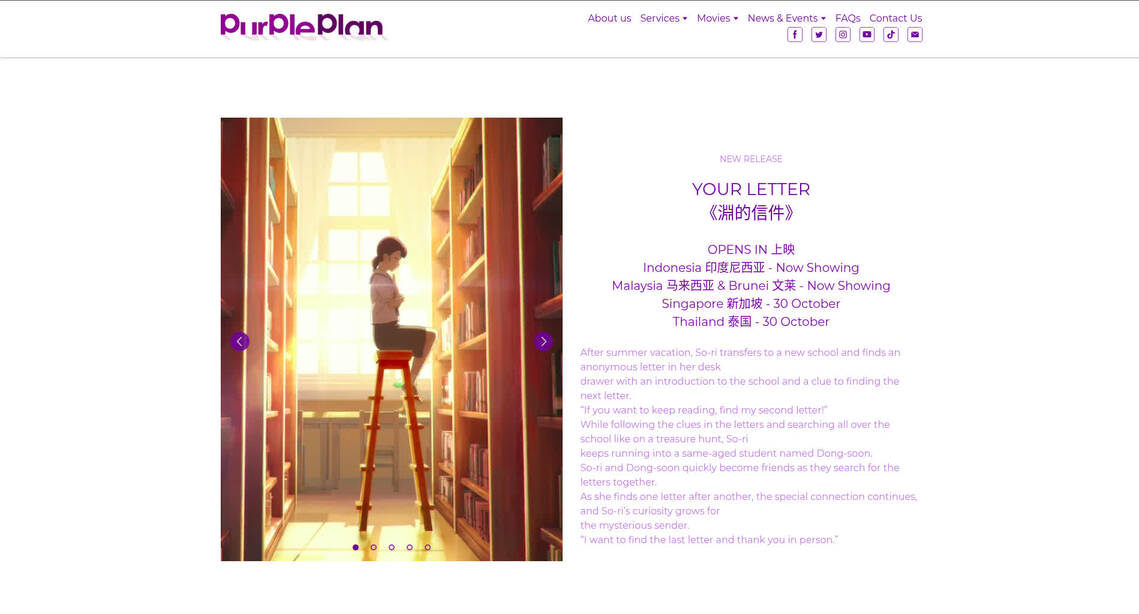
電影宣傳海報,圖片取自 TGV 電影院官網
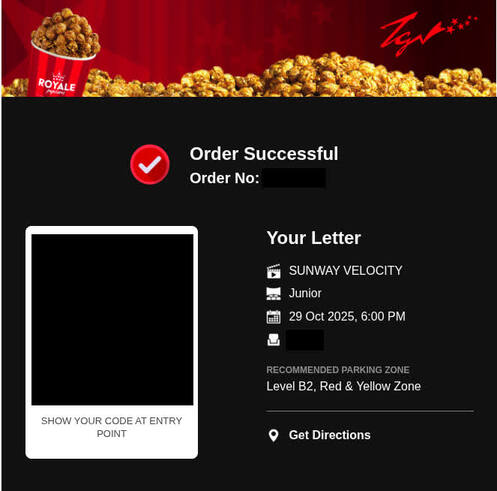
沒有實體的紙本票根作紀念,所以就拿電子版戲票的截圖代替
結果一看就直接愛上!整部電影的水準超讚的啦!不過這部電影似乎相對冷門,我來看的時候整場戲院只有小貓四五隻。好可惜啊,這部電影值得更多人支持!
而且主角如尋寶般循線找到一封封來自「神祕人」5的信件的劇情有夠可愛!讓我忍不住和主角一樣期待下一封信會帶來什麼驚喜。
這部電影的整體作畫品質也是非常出色,結合了不同的繪圖風格,包括唯美寫實風、鉛筆線繪風、油畫風與水彩風。每一幀的畫面都值得拿來當作電腦背景圖,甚至是印出來裱框!
電影原聲帶(OST)也是非常悅耳動人!整體感覺寧靜、放鬆、平和、感性,每個原聲都有那特有的「韓系音樂」味道,絕對聽爆!
個人 memo:插曲名稱以及在電影中出現的對應橋段(含劇透)
- Bloom - sh: 朴東順在耳機聽的音樂、李小黎跟隨第四封信的指示閉上眼睛尋獲秘密基地時
- Our late summer - Cloud koh: 朴東順與鄭浩淵的友情回憶篇
- Fold away - CIFIKA: 朴東順在與鄭浩淵最初見面的地方尋找第九封信時
- Good night - HEN: 李小黎在以前和鄭浩淵同住的醫院屋頂尋找第十封信時
- The Forest (숲): 李小黎爲了尋找第五封信剛到森林的時候
劇透較多的觀後感部份……
這部電影沒有暗黑轉折,沒有悲慘發展,只有三位中學生主角(沒錯,主角是三個人)——李小黎、鄭浩淵以及朴東順(角色名稱華語翻譯以馬來西亞上映版的華語字幕爲準)之間的溫暖友情故事(至於有沒有愛情成份,我個人覺得見仁見智;見文末腳註)。整個故事雖然簡單,但仍然非常感人,我在觀影的過程中一直控制不住地流眼淚。其中最催淚的部份是該故事對「象徵」(symbolism)這個敘事手法的善用。利用螢火蟲象徵朴東順與鄭浩淵的邂逅、利用藍絲帶代表他們兩人的羈絆、利用望向抽屜頂部尋獲物件的動作代表鄭浩淵與李小黎之間的緣份,就像《你的名字》中的紅絲帶與口嚼酒,觀衆僅是看到這些象徵物就足以感受到情緒上的衝擊力。
在整部電影中,我們得以看著三位因各自的絕境或厄運打擊而受傷的主角們,是如何在最美妙的時機相遇、相識、相伴、相互扶持、相互保護對方,並且相互回報對方的善意。總之就是非常溫情也非常可愛!
劇情有校園霸凌的成份,所以這也讓我不禁將這部電影與《聲之形》作比較。不過與《聲之形》那遊走於人性的灰色地帶、揭露看似無辜的旁觀者的人性醜惡的同時也將霸凌者的動機描寫得「情有可原」的敘事方式不同,這部電影的道德觀描寫倒是比較直接:霸凌者雖然也在乎自己的生涯規劃,但為了權勢宣告仍然選擇行惡,而主角群作爲霸凌的間接和/或直接受害者,為了對抗惡行而相互幫助,並也因此激勵了身邊人爲自己,也爲他人挺身而出。
有時候,非黑即白的直接正義,雖然未必能反映現實的殘酷,但也未必一定代表單調離地,反而也可以成就一個大快人心但又感情細膩的故事。
超級劇透的部份……
此爲電影版限定內容:在正片結束後,我們可以看到以一些(繪製而成的)照片合集與一個簡短的動畫片段形式呈現的番外篇內容。裡頭描述小黎、浩淵、東順三人以及他們的其他朋友於原作漫畫完結的時間點之後的相處時光,有他們三人的第一次旅行「合照」、慶祝浩淵十七歲生日的「照片」,甚至還有他們初中以及高中畢業時的畫面!小黎甚至在高中時剪了和小時候一樣造型的短髮!什麼啦,還嫌洋蔥切得不夠多啊?!ToT有機會的話一定要看一次!說不定你也會像我一樣哭著走出電影院(沒)。
延伸閱讀:
- 作家 Ronit J 對《淵之信》漫畫版的讀後感(英文,有一些劇透)
- Nora Helmer 對《淵之信》漫畫版的讀後感(英文,有一些劇透)
-
這是電影中的華語字幕譯名版本,不過馬來西亞版的預告片倒是譯成《淵之信》,而 LINE WEBTOON 上的中文翻譯爲《淵的信件》(東南亞地區授權商 Purple Plan 也採相同譯名)。大家都有自己的版本啊……(2025-11-01 更正:我記錯了……其實電影中的華語字幕開頭是用《淵之信》作譯名,而結尾是用《淵的信件》。) ↩︎ -
電影版的劇情與角色名稱有一些異動,但不影響主要故事線。 ↩︎
-
雖然 LINE WEBTOON 繁體中文版將該漫畫歸類爲「愛情」題材,但裡頭的戀愛成份我覺得其實有點模糊地帶,既可以說是相互暗戀,也可以說只是朋友間的扶持(電影版亦同)。我個人更傾向於後者,不過大家可以有自己的看法啦。 ↩︎
-
其中英文版本也有好玩的互動網頁「小遊戲」閱讀模式(只支援 iOS 和 Android 手機)! ↩︎
-
(一點)劇透:其實這位「神祕人」並沒有很神祕,而且會在整部電影擔任非常關鍵的角色。 ↩︎
RSS full content in Hugo
TL;DR: Modify Hugo’s RSS template by changing {{ .Summary }} to {{ .Content }}.
Hugo, the static site generator that I use to build this blog website, has built-in support for RSS, which is great, but doesn’t have native support for full content display in RSS, which is annoying (yeah, I get you, MacKenzie!).
I could’ve just changed the {{ .Summary }} part of the RSS feed template to {{ .Content }}, but after reading this post by CSL, which points out that doing so may cause unwanted side effects, I then decided to borrow an existing solution that works.
I copied and edited the rss.xml layout template code from the Hugo theme Stack. This in turn necessitated the addition of the rssFullContent parameter, which allows me to toggle between showing summarised or full content in the RSS feed, to my site configuration file.
I then added render-codeblock.rss.xml and render-image.rss.xml as demonstrated in the same post by CSL mentioned above for proper fetching of codeblocks and images in the RSS feed.
The end result seems okay at least to me. Hopefully this gives a better experience of reading this blog via RSS.
Screw it. I’m overcomplicating things. Actually the images still failed to load for some reason. I’m sticking with the easy solution of modifying to {{ .Content }}. At least it works fine for me.
Learning to disengage
I’ve quit using social media for around four years now.
I’d say this is one of the rare occasions where I’ve made a right decision in life, as it really does benefit my mental health a lot by allowing me to disengage from the information boom that tends to stir rage and eating away my already limited attention span.
I no longer end up in a state of emotional fatigue caused by social media, and have more time to do other more fulfilling things, such as what I’m doing here now: blogging in my own website. In turn, I’m also able to create rather than consume, as well as self-reflect.
However, sometimes I still can’t help but turn back to social media. I would look at WhatsApp statuses that friends and family have sent (which nonetheless isn’t really a lot), or browsing a (public) Facebook page while having to fight against the annoying login wall, and — even worse — looking at the comments section under a Facebook post despite knowing that it’d only do more harm than good, especially when the post discusses politics.
It also seems like I’m not alone in this regard; see this post by Revol.C and this post by JN for examples, both of which are written in Mandarin Chinese. They and I share some of the reasons that lead to this decision, such as being curious about certain friends’ recent activities, browsing content of interest that is only available on social media platforms, or simply just to kill time.
In a similar vein, I’ve recently read a blog post by Kev Quirk talking about reducing screen time on smartphones. In the post, a particular sentence resonates quite a bit with my situation:
We just need to have more willpower and not pull our phone out every time there’s a moment of silence.
Yes, willpower. Learning to disengage is a long game, and requires consistent willpower. It’s inevitable that a void would appear within our minds and lives at one time or another, but it’s up to us to decide how we should fulfil it. There are a lot of healthier ways to enrich, to connect, to enjoy. Social media is rarely, if not never, a good option.
It’s even okay to just stop constantly keeping track of what’s going on out there; embrace JOMO, and focus on what matters instead!
Well, I’ve written this much, but I have to follow my own words, or it’d be merely all talk. Hopefully I can do better in positive disengagement, thereby improving my general wellbeing.
自編自演 Undertale/Deltarune 串燒曲
之前爲了一場大學器樂樂團演奏會(Instagram 宣傳貼文)而寫的 Undertale/Deltarune 遊戲音樂串燒編曲(MuseScore 音源樂譜影片),在昨天晚上於新加坡國立大學文化中心(NUS University Cultural Centre)現場演出啦!

演奏會完整宣傳橫幅
這首編曲一開始就是寫給將在該音樂會演出的校友樂團作爲表演曲目的,而我在裡頭擔任鼓手的角色。因爲團員們的樂器背景形形色色,所以此編曲的樂器編制滿特殊的,不僅有西方管弦與打擊樂器,也有華樂樂器、電子鍵盤以及電吉他。雖然是個非傳統的編制,但整首編曲的音色結合也因此產生了更多可能性,這不失爲一件好事。
以下是那天演奏這首編曲時的開頭部份小片段。之後如果有完整演奏影片釋出的話會在這裡更新。
能夠在畢業後還能獲得如此的演出機會實在是感到高興。感謝大學朋友們給我這個自編自演的機會!也希望當時來場的觀衆也能夠聽得開心。
2025 年 11 月 18 日更新:
完整版演奏影片已由音樂會的主辦單位上傳至 YouTube!連結在此。